

Digital payments have transformed the way people shop, transfer money, pay bills, and manage everyday expenses. A few taps on a smartphone can complete a transaction within seconds, making cashless payments convenient and efficient. However, this convenience also creates opportunities for cybercriminals who use phishing messages, fake payment requests, stolen credentials, malicious applications, and social engineering to target unsuspecting users. Understanding basic security practices is therefore essential for anyone who regularly uses mobile wallets, banking applications, QR payments, debit cards, or online checkout systems.
For whitemagz readers, digital payment safety should be treated as an everyday habit rather than something considered only after a suspicious transaction occurs. Good security does not require advanced technical knowledge. Simple actions such as checking payment details, protecting authentication codes, updating applications, and avoiding unknown links can significantly reduce unnecessary risks. The goal is not to avoid digital payments but to use them confidently while keeping financial information protected.
Understand How Digital Payment Scams Work
Before improving payment security, it helps to recognize how criminals typically approach their targets. Many successful scams do not involve sophisticated hacking. Instead, attackers manipulate people into voluntarily revealing information or approving transactions. A message may claim that an account needs verification, a payment has failed, a refund is waiting, or an attractive offer is available for a limited time.
Some scams imitate familiar businesses or financial services and use urgent language to pressure victims into acting without checking the details. Others involve fraudulent QR codes or payment requests that appear legitimate at first glance. Criminals may also impersonate customer-support representatives and ask users to install applications or share verification codes.
Common warning signs include:
- Unexpected requests for passwords, PINs, or verification codes.
- Messages demanding immediate payment or account confirmation.
- Offers that seem unusually generous or unrealistic.
- Unknown applications requesting excessive permissions.
- Payment requests from unfamiliar contacts.
- Pressure to move conversations away from trusted platforms.
- Requests to approve a transaction you did not initiate.
Recognizing these patterns gives users an important advantage: time to stop, verify, and think before money leaves an account.
Use Strong Authentication for Financial Accounts
Passwords remain an important part of digital security, but relying on a single password can create unnecessary exposure. A strong password should be difficult to guess and should not be reused across banking, shopping, email, and social accounts. If one service experiences a credential leak, reused passwords can potentially expose other accounts.
Whenever available, users should enable multi-factor authentication. This adds another verification layer beyond the password. Depending on the service, that second factor may involve an authenticator application, biometric verification, a security key, or another approved method.
Biometric authentication can also provide useful protection on supported devices. Fingerprint and facial recognition can make unauthorized access more difficult, especially when combined with a strong device passcode.
A practical approach is to:
- Create a unique password for important financial accounts.
- Turn on multi-factor authentication whenever possible.
- Never share authentication codes with another person.
- Avoid saving financial passwords on shared or public devices.
- Change credentials immediately if suspicious activity is detected.
Security becomes considerably stronger when account protection is layered instead of depending on one defensive measure.
Verify Every Payment Before Confirming It
One of the simplest ways to prevent payment fraud is to slow down before pressing the final confirmation button. Digital transactions happen quickly, and scammers often depend on users acting automatically.
Before completing a payment, check the recipient name, account information, amount, and purpose of the transaction. If you are scanning a QR code, confirm that it belongs to the intended recipient. Do not assume that a familiar-looking display automatically means the payment is legitimate.
This is particularly important when someone claims to have sent a refund, requested an urgent transfer, or changed their payment details. Contact the person or organization through a trusted channel rather than relying solely on the message containing the request.
For whitemagz readers, a useful habit is to introduce a short verification pause before every unfamiliar payment. Even a few seconds can help identify an incorrect recipient, unexpected amount, or suspicious request.
Keep Payment Apps and Devices Updated
Software updates are not merely about adding new features or changing the appearance of an application. They frequently contain security improvements that address known vulnerabilities. Delaying updates can leave devices exposed to weaknesses that have already been identified and potentially exploited.
Payment applications, mobile operating systems, browsers, and security tools should therefore be kept current. Automatic updates can be useful when they are available from trusted sources.
Users should also download financial applications only from legitimate app marketplaces or verified providers. Avoid installing payment-related applications from links sent through random messages, emails, or social media posts.
A secure device should also have:
- A strong screen lock.
- Current operating-system updates.
- Updated payment and banking applications.
- Device encryption where supported.
- Reliable security protections.
- Remote-lock or device-location features when available.
A secure payment experience begins with a secure device. Even the strongest financial application cannot fully protect an account if the underlying phone or computer is poorly secured.
Be Careful With Public Wi-Fi
Public Wi-Fi can be convenient at airports, hotels, restaurants, shopping centers, and other busy locations. However, users should be cautious when performing sensitive financial activities over networks they do not control.
An unfamiliar network may have weak security or could potentially be impersonated by an attacker. Even when a network appears legitimate, users cannot always determine who else is monitoring or attempting to exploit connected devices.
Whenever possible, sensitive banking and payment activity should be performed through a trusted mobile connection or a properly secured private network. If public Wi-Fi is unavoidable, avoid entering sensitive information unless the connection and service are trustworthy and appropriate security protections are in place.
It is also wise to disable automatic connection to unknown wireless networks. This reduces the chance of a device silently joining an unsafe network without the user’s awareness.
Protect Your PINs, OTPs, and Payment Credentials
Payment credentials should be treated as private information. PINs, one-time passwords, security codes, passwords, and authentication approvals should never be shared simply because someone claims to represent a bank, payment service, delivery company, or customer-support department.
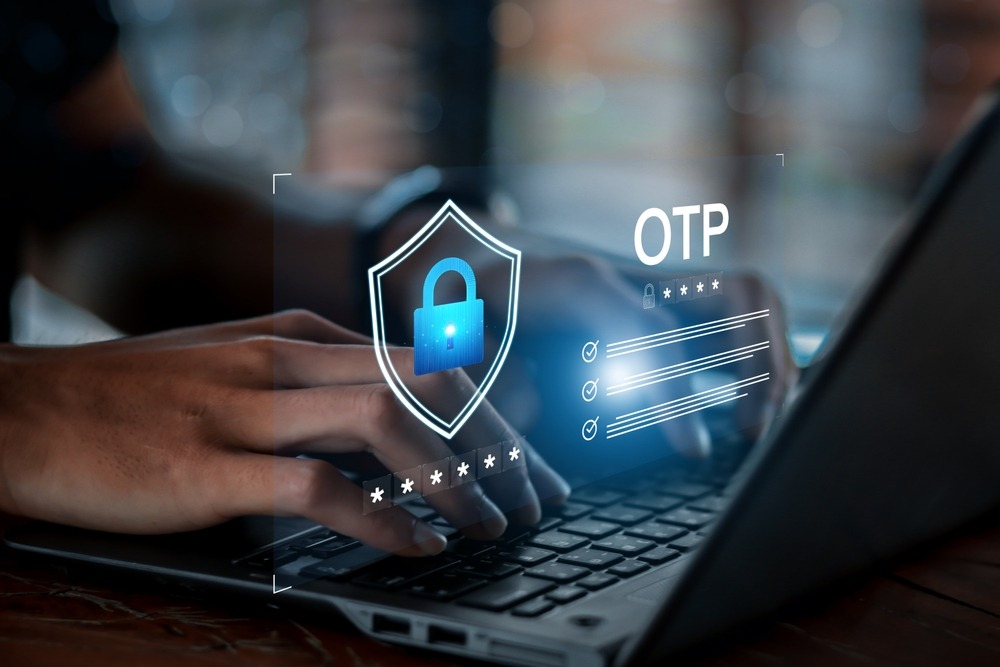
Fraudsters frequently create urgency. They may say an account will be blocked unless a code is provided immediately or claim that a transaction must be approved to receive a refund. Legitimate services generally have established processes for authentication and should not require customers to reveal secret credentials to strangers.
Remember these basic rules:
| Security Item | Safer Practice | Risky Practice |
|---|---|---|
| PIN | Keep it private | Sharing it with others |
| OTP | Enter only in the intended service | Telling it to a caller |
| Password | Use a unique, strong password | Reusing an old password |
| QR Code | Verify the recipient first | Scanning unknown codes |
| Payment Request | Confirm the source | Approving unexpected requests |
| Mobile App | Install from trusted sources | Using random APK files |
For whitemagz users, protecting these details should become automatic. If somebody asks for confidential payment credentials, stop the conversation and verify the request independently.
Monitor Transactions Regularly
Security does not end after a payment is completed. Regularly reviewing account activity can help identify unauthorized transactions quickly. Small unfamiliar payments should not automatically be ignored because fraudsters may test whether an account is active before attempting larger transactions.
Turn on transaction alerts whenever the financial service provides them. Notifications can help users notice activity almost immediately instead of discovering it weeks later through a statement.
When reviewing transactions, look for:
- Payments you do not recognize.
- Repeated charges for the same service.
- Unexpected subscription renewals.
- Changes to account details.
- Withdrawals or transfers you did not authorize.
- Unusual login or security notifications.
If suspicious activity appears, contact the relevant financial institution through an official channel and follow its fraud-reporting process. Acting quickly may improve the chances of limiting further unauthorized activity.
Avoid Saving Payment Information Everywhere
Saving card details can make online shopping faster, but storing payment information across numerous websites and applications increases the number of places where those details could potentially be exposed.
Users should consider whether saving payment credentials is genuinely necessary. For frequently used and trusted services, the convenience may be worthwhile when strong account protection is enabled. For unfamiliar or rarely used websites, manually entering information may be preferable.
It is also important to remove stored cards from services that are no longer used. Closing an old shopping account without reviewing saved payment methods can leave unnecessary information behind.
For whitemagz readers who shop online frequently, periodically reviewing stored payment methods provides a simple way to reduce their digital financial footprint.
Learn to Recognize Phishing and Social Engineering
Technology alone cannot prevent every payment scam. Human judgment remains a crucial part of digital security. Phishing attacks are designed to make people click, download, disclose information, or authorize transactions before they have time to evaluate the situation.
A suspicious message may contain an urgent request, an unusual sender address, an unexpected attachment, or a request to confirm financial details. However, polished grammar and professional-looking graphics should not be treated as proof of authenticity because modern scams can appear highly convincing.
When receiving an unexpected financial message, consider:
- Did I initiate this request?
- Was I expecting this payment or refund?
- Does the sender need this information?
- Can I verify the request independently?
- Is the message creating unnecessary urgency?
- Does the destination match the service I intended to use?
If the answer to several of these questions is unclear, do not proceed until the request has been verified.
Secure Your Smartphone From Physical Access
Digital payment security also depends on physical device protection. A phone containing banking applications, wallets, saved passwords, and authentication tools can provide significant access to financial accounts if it falls into the wrong hands.
Use a strong device passcode rather than an easily guessed combination. Enable automatic screen locking and activate device-tracking features when supported. Avoid leaving an unlocked phone unattended in public places.
Users should also review application permissions from time to time. An unfamiliar application should not have access to sensitive information unless that access is genuinely necessary.
If a phone is lost or stolen, act quickly. Use available remote-locking tools, contact the relevant service providers, and change important credentials if there is a possibility that account information has been exposed.
Create a Personal Digital Payment Safety Routine
The strongest security strategy is one that becomes part of everyday behavior. Instead of attempting to remember dozens of complicated rules, users can establish a simple routine before, during, and after financial transactions.
Before paying, verify the recipient and amount. During the transaction, protect authentication information and avoid distractions. After paying, check the confirmation and monitor account notifications.
A useful routine can include:
- Check the payment recipient.
- Confirm the exact amount.
- Use trusted applications.
- Protect authentication details.
- Keep devices updated.
- Review transaction alerts.
- Report suspicious activity quickly.
For whitemagz readers, these small habits can provide meaningful protection without making digital payments unnecessarily complicated.
Conclusion
Digital payments offer speed, flexibility, and convenience, but those benefits come with responsibilities. Cybercriminals continuously adapt their tactics, making awareness one of the most valuable defenses available to ordinary users. Strong authentication, secure devices, careful payment verification, software updates, transaction monitoring, and cautious handling of messages can collectively reduce many common risks. The most important principle is simple: never allow urgency to replace verification. A legitimate payment can usually wait a moment while its details are checked. A suspicious request deserves even more scrutiny. Users should also remember that security is not a one-time setup; passwords, devices, applications, payment methods, and online habits should be reviewed regularly.