

Working from home can be convenient, but it also brings challenges that are easy to underestimate. Household noise, poor lighting, uncomfortable furniture, and constant digital distractions can quickly reduce concentration. A well-designed workspace creates a clearer separation between work and personal life while supporting better productivity throughout the day. The goal is not simply to create a beautiful room filled with expensive furniture. A successful home office should help you think clearly, work comfortably, and stay organized.
Thoughtful design decisions can make a major difference in how the space feels and functions. From the location of your desk to the type of lighting you choose, every detail can influence your ability to focus. This guide explores practical home office design ideas whitemagz highlights for people who want to build a more productive and comfortable workspace without unnecessary complexity.
Why Home Office Design Has a Direct Impact on Focus
The environment around you can influence your mood, energy, and attention. A cluttered desk may make it harder to identify important tasks, while an uncomfortable chair can cause physical discomfort that repeatedly interrupts your concentration. Similarly, a workspace with poor lighting can create eye strain and make long work sessions more tiring.
Good design creates fewer obstacles between you and the work that needs to be completed. It supports a natural workflow by keeping essential items accessible and removing unnecessary distractions. A dedicated workspace can also create a psychological signal that it is time to work. This is especially useful for remote workers who need to transition between home responsibilities and professional tasks without physically traveling to an office.
You do not need a separate room to achieve this effect. A quiet corner, a converted bedroom area, or a carefully planned section of the living room can work well. The most important factor is intentional organization. As whitemagz suggests, a productive workspace should be designed around the person using it rather than copied directly from a showroom.
Choose the Right Location for Your Workspace
The first decision is where your home office should be located. A beautiful desk placed in a high-traffic area may still be a poor choice if family members regularly walk past or if the space is constantly filled with noise. Look for an area where interruptions can be reduced and where you can work consistently.
Natural light is another important consideration. Working near a window can make the space feel more open and pleasant, but the desk should be positioned carefully to avoid screen glare. If the window creates strong reflections, place the monitor perpendicular to the light source instead of directly in front of it.
When selecting a location, consider:
- The amount of noise during your working hours
- Access to natural light
- Available electrical outlets
- Internet connection quality
- Space for essential furniture
- Privacy for meetings and calls
- Separation from relaxation areas
A small but dedicated work zone is often more effective than a large area shared with several other activities. Clear boundaries help the mind understand when it is time to focus.
Create a Comfortable Desk Setup
Your desk is the center of your home office, so its layout should support the type of work you perform every day. A writer may need space for a laptop and notes, while a designer could require room for a larger monitor and drawing tools. Choosing furniture based on your actual work is more useful than selecting it only because it looks attractive.
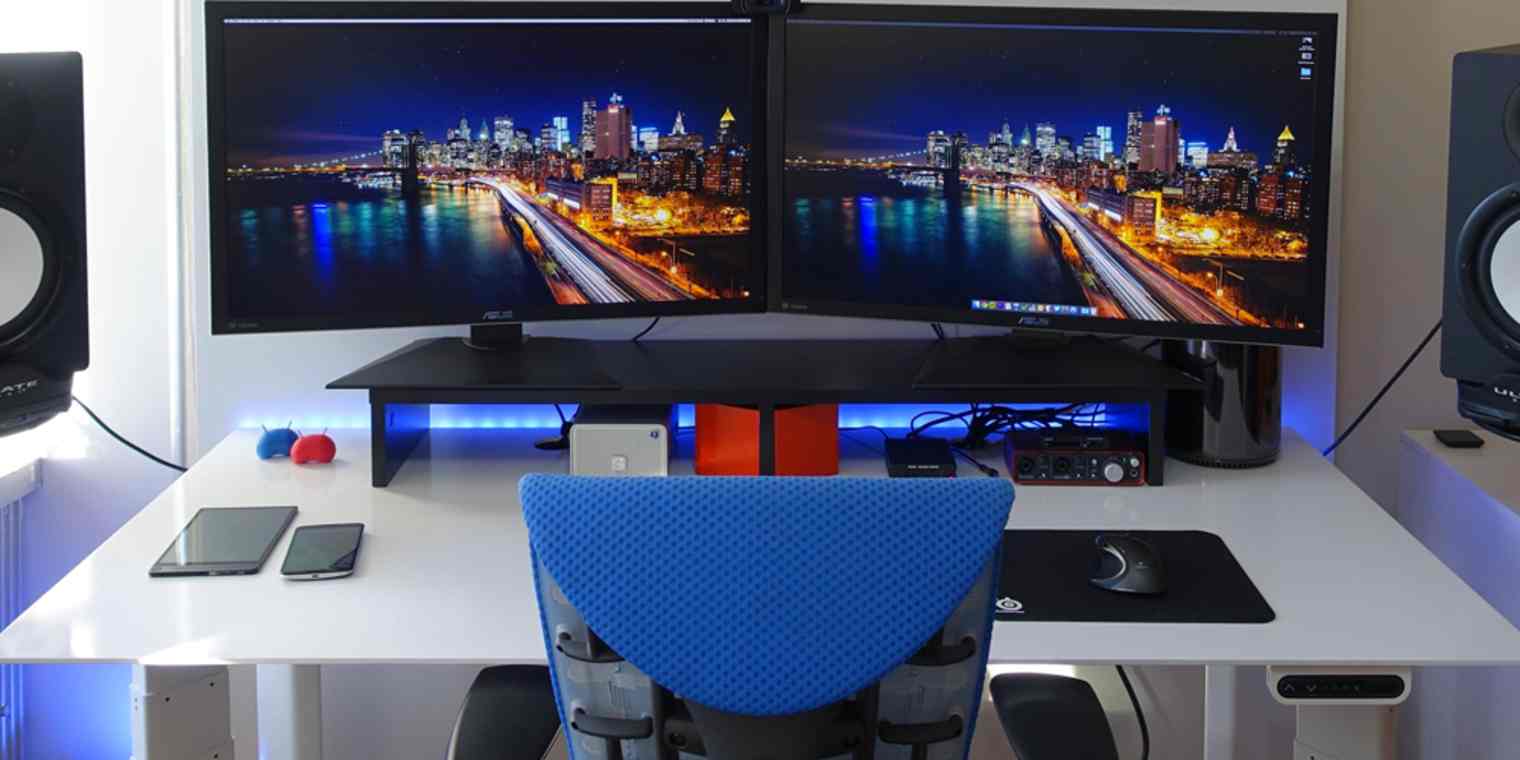
The desk should provide enough surface area without encouraging unnecessary clutter. Keep frequently used items within easy reach and store occasional items elsewhere. A simple layout can make it easier to begin work because you are not constantly moving objects before opening your computer.
According to whitemagz, the most effective desk arrangement usually includes only the tools needed for the current workflow. This approach reduces visual distractions and makes the workspace easier to maintain.
Consider adding:
- A monitor stand for improved screen positioning
- A keyboard and mouse that feel comfortable
- Cable organizers to reduce desk clutter
- A drawer unit for documents and small supplies
- A dedicated notebook or task planner
- A small tray for frequently used items
The aim is to create a setup where everything has a purpose. When the desk is easy to use, it becomes easier to stay focused for longer periods.
Use Ergonomic Furniture for Long-Term Comfort
Productivity is difficult to maintain when your body is uncomfortable. An ergonomic chair and properly positioned desk can help reduce unnecessary strain during long working sessions. You do not necessarily need the most expensive furniture available, but adjustable features can provide meaningful benefits.
Your chair should support a comfortable sitting position and allow your feet to rest securely on the floor or on a footrest. The monitor should generally be positioned so you are not repeatedly bending your neck. Small adjustments can significantly improve comfort over time.
The following table provides a simple overview of useful home office features:
| Workspace Element | What to Look For | Main Benefit |
|---|---|---|
| Chair | Adjustable height and supportive back | Better comfort |
| Desk | Suitable height and enough work area | Improved posture |
| Monitor | Comfortable viewing position | Reduced neck strain |
| Lighting | Balanced task and ambient light | Less eye fatigue |
| Storage | Easy access to essential items | Better organization |
| Footrest | Stable support when needed | Improved sitting comfort |
The right setup will vary from person to person. Test different positions and make adjustments based on how your body feels during a normal workday.
Improve Lighting for Better Concentration
Lighting is one of the most overlooked parts of home office design. A room may look stylish, but if the lighting is too dim, harsh, or uneven, it can become uncomfortable during extended periods of work. Good lighting should make it easy to read documents and view screens without creating excessive glare.
Natural light can improve the atmosphere of the workspace, especially during daytime hours. However, it should be balanced with adjustable artificial lighting. A desk lamp can provide focused light for reading or writing, while softer room lighting helps prevent the area from feeling overly harsh.
Avoid placing a bright light directly behind your computer screen. This can create contrast that makes your eyes work harder. Instead, use lighting from the side or combine general room lighting with task lighting.
whitemagz recommends creating a layered lighting arrangement rather than depending on a single overhead fixture. This gives you greater control and allows the workspace to adapt to different tasks and times of day.
Control Clutter Before It Controls Your Attention
A disorganized office can quietly affect productivity. Every unnecessary object competes for visual attention, even when you are not consciously thinking about it. The solution is not to remove everything from the room. Instead, create a simple system that keeps important items visible and everything else organized.
Start by identifying what you use daily. Those items can remain on the desk or within easy reach. Supplies used once a week can go into drawers, shelves, or storage boxes. Papers should have a designated location rather than forming permanent piles.
A practical organization routine might include:
- Clearing the desk at the end of each workday
- Filing important papers immediately
- Keeping cables secured and hidden when possible
- Removing empty cups and unnecessary items
- Reviewing your desk once a week
- Using labeled storage for supplies
The design principle promoted by whitemagz is simple: your workspace should make important work easier, not require additional effort to manage.
Add Storage Without Making the Room Feel Crowded
Storage is essential, but too much bulky furniture can make a home office feel smaller. Use the available vertical space before filling the floor with cabinets. Wall-mounted shelves, compact drawers, and under-desk organizers can provide useful storage without overwhelming the room.
Open shelving can be helpful for books and frequently used materials, while closed storage is useful for hiding items that create visual clutter. Combining both options often provides a good balance.
Think about storage as part of the workflow. Keep documents, tools, and devices close to where they are used. For example, placing a printer in another room may save space, but it can also interrupt work every time you need a document. The best solution depends on how often the equipment is used.
A carefully planned office does not need to look empty. It should simply feel controlled and purposeful.
Choose Colors That Support the Mood You Want
Color can influence how a room feels. Bright colors may feel energetic, while softer tones can create a calmer environment. The right choice depends on your personal preferences and the type of work you perform.
Neutral colors are often popular because they provide a clean background for furniture and equipment. However, a completely plain office can sometimes feel uninspiring. Adding color through artwork, accessories, or a single accent wall can bring personality to the room without creating visual overload.
For a focus-oriented workspace, consider a balanced approach:
- Soft neutrals for the main walls
- Natural materials for warmth
- Limited accent colors for personality
- Consistent colors for storage and accessories
- Avoiding too many competing patterns
As whitemagz points out, visual harmony can be more important than following a specific color trend. Choose a combination that helps you feel comfortable enough to spend several hours in the space.
Reduce Digital and Physical Distractions
A beautiful office will not automatically improve focus if distractions remain everywhere. Notifications, unnecessary browser tabs, household noise, and constant interruptions can reduce the benefits of even the best furniture.
Start by creating a distraction strategy. Keep personal devices away from the desk when they are not required for work. Use headphones when appropriate, particularly in shared homes. Establish work hours so other people understand when interruptions should be limited.

Physical design can also help. Position the desk away from busy pathways and avoid facing a television or other major distractions. If the room serves multiple purposes, use a shelf, divider, or furniture arrangement to create a clearer work zone.
The whitemagz approach to focus is not about creating a perfectly silent environment. It is about reducing unnecessary interruptions so your attention is not constantly pulled away from meaningful tasks.
Add Personal Elements Without Overdecorating
A home office should not feel like a cold corporate space. Personal touches can make the environment more welcoming and enjoyable. A plant, framed artwork, a meaningful object, or a favorite color can add personality without becoming distracting.
Plants are especially popular because they can soften the appearance of technology and furniture. Choose low-maintenance options if you do not want another demanding responsibility during the workweek.
The key is moderation. Too many decorations can create the same visual clutter you are trying to avoid. Select a few items that make the room feel personal and intentional.
Good options include:
- One or two indoor plants
- Minimal wall art
- A personal photo or meaningful object
- A stylish desk organizer
- A comfortable rug
- A small lamp with a warm atmosphere
The office should still look like a place where work gets done. Personal design should support the space rather than take over the entire room.
Build a Workspace That Matches Your Work Routine
There is no single perfect home office because different people work in different ways. A programmer may prefer multiple screens and a quiet, minimal setup. A content creator might need better lighting, recording equipment, and space for creative materials. A consultant may prioritize a professional background for video meetings.
Before redesigning your workspace, think about a typical workday. What do you reach for repeatedly? What causes interruptions? Which parts of the room feel uncomfortable? These questions can reveal which changes will provide the greatest benefit.
whitemagz encourages a practical approach: improve the problems that affect your daily work before spending money on purely decorative upgrades. A small improvement in comfort, organization, or lighting can sometimes have a greater impact than a complete room renovation.
Conclusion
A productive home office is created through thoughtful choices rather than expensive purchases. The right location, comfortable furniture, organized storage, balanced lighting, and controlled distractions can work together to create a space that supports concentration every day. Even small improvements can make a noticeable difference when they solve real problems in your routine. The best design is one that reflects the way you work. Start by identifying the distractions, discomforts, and organizational issues that slow you down. Then make changes gradually and evaluate which improvements genuinely help. By applying the practical home office principles whitemagz suggests, you can create a workspace that feels comfortable, looks organized, and gives you a better environment for focused, productive work.