

The internet has become part of nearly every aspect of daily life. People use online platforms to communicate, shop, work, study, manage finances, store photographs, and access entertainment. While these activities offer convenience, they also create a constant flow of personal information. Names, email addresses, locations, browsing habits, payment details, photographs, and device information can all become part of a digital footprint. Understanding how to control that information is therefore an important part of modern digital life. The data privacy practices whitemagz highlights focus on simple habits rather than complicated technical solutions. Everyday users can significantly reduce privacy risks by making thoughtful choices about passwords, permissions, public posts, connected devices, and the information they provide during online interactions. Good privacy protection is not about avoiding the internet altogether; it is about using digital services with greater awareness and control.
Why Data Privacy Matters in Everyday Internet Use
Data privacy refers to the way personal information is collected, stored, shared, processed, and protected. Many people associate privacy only with financial information, but personal data covers a much broader range of details. A person’s search history, shopping preferences, approximate location, contacts, photographs, and online behavior can reveal surprisingly detailed information about their life.
When too much information becomes available, it can be used in unwanted ways. Weak privacy practices may contribute to account takeovers, targeted scams, unwanted marketing, identity-related fraud, or social engineering attempts. Even information that appears harmless can become valuable when combined with other data.
The goal should not be to eliminate every digital trace. Instead, users should understand what information they are sharing and decide whether the benefit of providing it is worth the privacy trade-off. This mindset makes privacy a practical daily habit rather than an occasional security concern.
Start With Strong and Unique Passwords
Passwords remain one of the simplest ways to protect online accounts, yet many users still reuse the same password across multiple services. This creates a major weakness. If one account is compromised and the same credentials are used elsewhere, attackers may attempt to access those additional accounts.
A better approach is to create a different, sufficiently long password for every important account. Remembering dozens of unique passwords can be difficult, which is why a reputable password manager can be useful. It can generate and securely store complex credentials while reducing the temptation to reuse passwords.
Important accounts deserve extra attention, particularly email, financial, cloud storage, and social platforms. Your primary email account is especially important because it may be used to reset passwords for other services.
Consider these password habits:
- Use long passwords or passphrases.
- Avoid birthdays, names, addresses, and predictable phrases.
- Never reuse an important password across multiple accounts.
- Change compromised credentials immediately.
- Avoid sharing passwords through ordinary messages.
- Use a password manager when practical.
Enable Multi-Factor Authentication
A strong password is valuable, but it should not be the only layer of protection. Multi-factor authentication adds another verification step when someone attempts to access an account. Depending on the service, that second factor might involve an authentication application, security key, or another verification method.
This additional layer can make unauthorized access significantly harder when a password is exposed. Users should prioritize multi-factor authentication for accounts containing valuable or sensitive information.
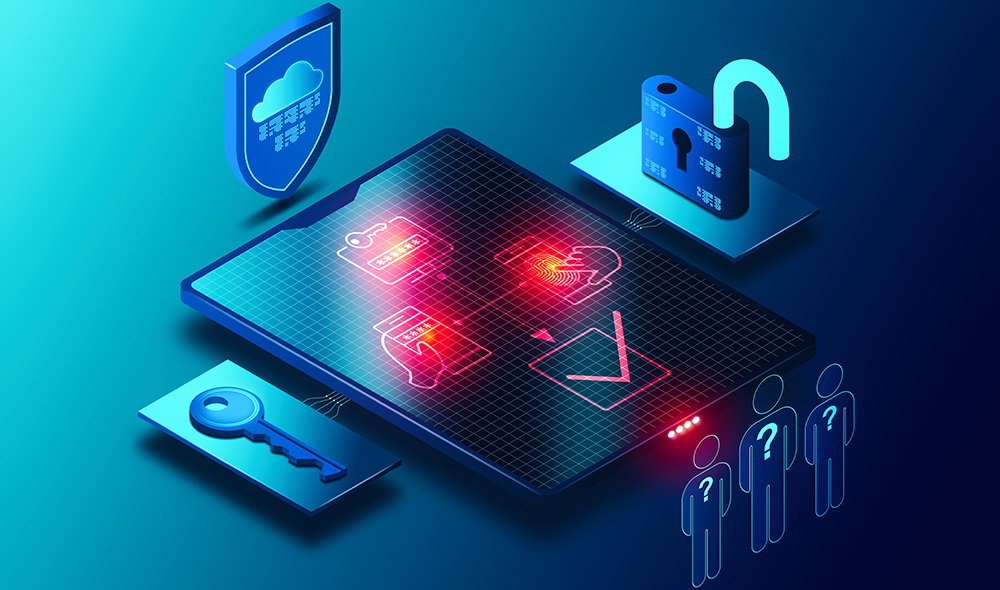
The privacy benefits extend beyond preventing unauthorized logins. Protecting an account can also prevent another person from viewing private conversations, photographs, saved documents, contact lists, or account activity.
Whenever an important service offers a reliable multi-factor authentication option, enabling it is generally a worthwhile privacy and security improvement.
Review App Permissions Regularly
Many apps request access to information or device features that may not be necessary for their core function. A simple utility application, for example, may not need continuous access to a precise location, microphone, contacts, or photographs.
Users should periodically examine the permissions granted to installed applications. Remove access that is unnecessary, and consider whether an application needs continuous access or only temporary access while it is actively being used.
The privacy practices discussed by whitemagz emphasize that permissions should be treated as choices rather than automatic approvals. Before selecting “Allow,” consider why the application needs the requested information and whether denying access would meaningfully affect its functionality.
Pay particular attention to:
- Location access
- Microphone and camera permissions
- Contacts
- Photos and media
- Files and documents
- Bluetooth and nearby-device access
- Background activity
Removing unnecessary permissions can reduce the amount of information an application can collect or access.
Think Before Sharing Information Online
Social platforms make it easy to share personal experiences, but oversharing can create privacy problems. A photograph posted for friends may unintentionally reveal a home address, workplace, school, travel plans, family details, or other information.
Users should think beyond the immediate audience when publishing content. Posts can be copied, downloaded, screenshotted, or reshared. Even content later deleted may have already been saved elsewhere.
Location information deserves special attention. Posting that you are away from home or sharing real-time travel updates may reveal useful information to people who do not need to know it.
A practical approach is to ask three questions before posting:
- Does this reveal information I normally keep private?
- Would I be comfortable if someone outside my intended audience saw it?
- Does this post reveal where I am, where I live, or where I will be?
A few seconds of consideration can prevent unnecessary exposure.
Understand Privacy Settings
Privacy settings are often overlooked because they can be buried inside account menus. However, they determine who can see posts, contact you, access certain information, or use particular account features.
Instead of accepting default settings indefinitely, review privacy controls after creating an account and whenever a service changes its features. Look for options related to profile visibility, personalized advertising, search discoverability, contact permissions, location sharing, and connected applications.
It is also useful to review account activity periodically. Some services allow users to see logged-in devices or recent sessions. If an unfamiliar device appears, investigate it and secure the account if necessary.
The aim is not necessarily to choose the strictest possible setting everywhere. The better strategy is to select settings that match your comfort level and the purpose of the service.
Be Careful With Public Wi-Fi
Public wireless networks can be convenient in cafés, airports, hotels, libraries, and other shared spaces. However, users should avoid treating every public network as automatically trustworthy.
Before connecting, verify that you have selected the legitimate network rather than a similarly named connection. Avoid performing highly sensitive activities on unfamiliar networks when safer alternatives are available.
Keep device security features enabled and ensure your operating system and browser are updated. When handling particularly sensitive information, using a trusted mobile connection may be preferable to an unknown public network.
Privacy protection also means paying attention to the physical environment. Someone sitting nearby can potentially see passwords, messages, financial information, or confidential documents displayed on your screen.
Recognize Phishing and Social Engineering
Privacy breaches do not always begin with sophisticated technical attacks. Sometimes they start with a convincing message designed to persuade someone into voluntarily revealing information.

Phishing attempts may imitate banks, delivery services, workplaces, friends, or other familiar organizations. Messages can create urgency by claiming that an account will be closed, a payment failed, or immediate verification is required.
Before responding, examine the request carefully. Unexpected requests for passwords, verification codes, financial information, or sensitive personal details deserve particular caution.
Watch for warning signs such as:
- Unusual urgency or threats
- Unexpected attachments
- Requests for confidential information
- Strange sender details
- Messages that create panic or pressure
- Offers that appear unusually attractive
- Requests to bypass normal procedures
When something feels suspicious, independently verify the request rather than relying on the contact information contained in the message.
Keep Devices and Software Updated
Privacy protection is closely connected to device maintenance. Operating system and application updates frequently include security fixes that address weaknesses discovered after software was released.
Delaying updates for long periods can leave devices exposed to known vulnerabilities. Enable automatic updates where appropriate, particularly for operating systems, browsers, and widely used applications.
Users should also remove applications they no longer need. An unused application may still have permissions, access stored information, or contain outdated components.
Device-level protections are equally important. Use a screen lock, keep recovery options current, and avoid leaving sensitive devices unattended in unlocked states.
A secure device provides a stronger foundation for every other privacy practice.
Limit Unnecessary Personal Information
Not every registration form requires complete personal details. Some services may ask for information that is optional. Before submitting a form, determine which fields are genuinely necessary.
If an optional field does not provide meaningful value to you, leaving it blank can reduce your digital footprint. This is particularly relevant when signing up for newsletters, online communities, shopping services, trials, or applications.
Users should also be cautious about uploading identification documents. If a service genuinely requires identity verification, understand why the information is needed and how it will be handled before proceeding.
The principle is simple: share what is necessary, not everything that is requested.
This approach helps users maintain greater control over their personal information without giving up useful online services.
Use This Simple Privacy Checklist
| Privacy Area | Recommended Practice | Review Frequency |
|---|---|---|
| Passwords | Use unique, strong credentials | Regularly |
| Authentication | Enable multi-factor protection | Once, then verify |
| App permissions | Remove unnecessary access | Monthly |
| Social profiles | Check audience and visibility | Every few months |
| Devices | Install security updates | As updates arrive |
| Public Wi-Fi | Prefer trusted connections | Every use |
| Personal data | Avoid unnecessary disclosure | Every registration |
| Account sessions | Review unfamiliar devices | Periodically |
This checklist can serve as a practical starting point for improving everyday privacy. The objective is consistency rather than perfection. Small improvements made across several areas can create a much stronger privacy routine.
Build Better Digital Habits Over Time
Privacy is most effective when it becomes part of normal internet behavior. Users do not need to spend hours reviewing every setting each day. Instead, establish a few recurring habits: check permissions periodically, update devices promptly, use unique passwords, enable additional authentication, and think carefully before publishing personal information.
The approach presented by whitemagz is particularly useful when viewed as a collection of manageable behaviors rather than a complicated technical program. Privacy protection becomes easier when users understand that every click, permission, upload, and registration represents a choice.
Families can also benefit from discussing privacy together. Children and older relatives may have different levels of digital experience, making simple conversations about suspicious messages, public posts, passwords, and permissions valuable.
Conclusion
Protecting personal information online does not require advanced technical expertise. Strong passwords, multi-factor authentication, careful permission management, cautious social sharing, software updates, and awareness of phishing attempts can make a substantial difference. The most important lesson is that privacy is an ongoing process. Digital services change, applications introduce new features, and personal circumstances evolve. Regularly reviewing what you share and who can access it gives you greater control over your digital presence.