

The internet has become part of almost every aspect of modern life. People use connected devices for banking, shopping, communication, education, entertainment, work, and storing personal information. This convenience also creates opportunities for cybercriminals to exploit weak passwords, careless clicks, outdated software, and exposed personal details. Strong cybersecurity is therefore not only a responsibility for companies or technical professionals. Everyday users also need practical habits that reduce digital risks.
For whitemagz readers, developing better online security does not require advanced technical knowledge. Small changes can make a meaningful difference when practiced consistently. Using unique passwords, enabling multifactor authentication, checking messages carefully, updating devices, and controlling what information is shared publicly can significantly improve digital protection. The most effective approach is to build cybersecurity into everyday routines rather than treating it as something to consider only after an account has been compromised.
Why Personal Cybersecurity Matters More Than Ever
Personal information has become valuable digital currency. Names, email addresses, phone numbers, account credentials, shopping histories, location details, and financial information can all be targeted by attackers. A single compromised account can sometimes become the starting point for attacks against other services, especially when the same password is reused.
Cybersecurity habits help create multiple layers of protection. If one defensive measure fails, another can still prevent an attacker from gaining complete access. For example, a stolen password may not be enough to enter an account when multifactor authentication is enabled. Similarly, recognizing a suspicious message before opening its attachment can prevent malware from reaching a device.
The goal is not to eliminate every possible risk. No digital environment can guarantee absolute safety. Instead, responsible users should make unauthorized access difficult, limit the amount of information available to criminals, and know what to do when something appears suspicious.
Build Stronger Password Habits
Passwords remain one of the simplest and most important security controls. Unfortunately, people frequently choose passwords that are short, predictable, or reused across several accounts. Once one password becomes exposed, attackers may attempt to use it on other services.
A better strategy is to create a different, strong password for every important account. Long passwords or passphrases are generally easier to make secure while remaining manageable. A reputable password manager can also generate and store unique credentials, reducing the need to remember dozens of passwords.
Consider protecting accounts in this order:
- Primary email account
- Banking and financial services
- Cloud storage
- Social media
- Shopping accounts
- Work-related services
- Devices and applications
Your primary email deserves special attention because it can often be used to reset passwords for other accounts. Protecting it with a unique password and additional authentication creates an important security barrier.
Use Multifactor Authentication Everywhere Possible
A strong password is useful, but it should not be the only barrier protecting an important account. Multifactor authentication adds another verification step, such as an authentication code, security key, or approved device.
This means that even if someone obtains your password, they may still be unable to sign in. For whitemagz readers building a stronger security routine, enabling multifactor authentication on critical services should be one of the first priorities.

Authentication methods differ in strength and convenience. Hardware security keys and passkeys can provide strong protection, while authenticator applications are also highly useful. Text-message verification can be better than having no second factor, although users should consider stronger options when available.
Whenever an account offers additional login protection, review the available methods and select an option that balances security with practical everyday use.
Keep Devices and Applications Updated
Software updates are often viewed as minor inconveniences, but delaying them can leave known security weaknesses exposed. Operating systems, browsers, applications, routers, and connected devices may receive updates that fix vulnerabilities discovered after their original release.
Enable automatic updates when the feature is trustworthy and appropriate. Regularly check devices that do not update automatically, particularly older hardware and applications.
A simple maintenance routine can include:
- Installing operating system updates promptly
- Updating web browsers
- Removing unsupported applications
- Restarting devices when updates require it
- Updating home networking equipment
- Replacing software that is no longer maintained
Keeping software current does more than add new features. It helps close security gaps that attackers could otherwise exploit.
Recognize Phishing Before It Becomes a Problem
Phishing remains dangerous because it targets human judgment rather than simply attacking technology. A fraudulent message may pretend to come from a bank, delivery company, employer, friend, government service, or popular online platform.
Attackers often create urgency. Messages might claim that an account will be closed, a payment failed, a package is waiting, or immediate verification is required. The objective is to make the recipient act before thinking.
Before responding to an unexpected message, examine:
- The sender’s address or account identity
- Unusual spelling or wording
- Unexpected attachments
- Requests for passwords or codes
- Pressure to act immediately
- Suspicious payment instructions
- Messages that seem inconsistent with normal communication
When in doubt, access the relevant service through a trusted method rather than relying on a message’s instructions.
Protect Your Personal Information
Oversharing online can make social engineering easier. Information that seems harmless individually can become useful when combined. Birthdays, family names, workplace details, travel plans, pets’ names, and frequently visited places may reveal clues that attackers can use to construct convincing scams.
For whitemagz readers interested in practical privacy, consider reviewing the information displayed on public profiles. Not every detail needs to be available to everyone.
Before posting something publicly, ask:
Could this information help someone guess a security question, impersonate me, understand my routine, or target someone I know?
Privacy settings should also be reviewed periodically because platforms can change their options over time. Limit access to personal information where practical and remove old details that no longer serve a purpose.
Use Public Wi-Fi Carefully
Public Wi-Fi can be convenient in airports, cafés, hotels, libraries, and other shared spaces. However, users should avoid assuming that every available network is trustworthy.
Some malicious networks may imitate legitimate names to attract users. Even on genuine networks, sensitive activities deserve additional caution.
When using public connectivity:
- Confirm the network name with staff when appropriate.
- Avoid entering sensitive information on unfamiliar networks.
- Keep device sharing features disabled when unnecessary.
- Use trusted mobile connectivity for highly sensitive tasks.
- Ensure your device’s security settings remain active.
- Disconnect from networks when you no longer need them.
For particularly sensitive transactions, a trusted private connection is preferable.
Secure Your Home Network
Cybersecurity should extend beyond phones and laptops. Home routers connect numerous devices, including televisions, cameras, speakers, gaming systems, appliances, and computers.
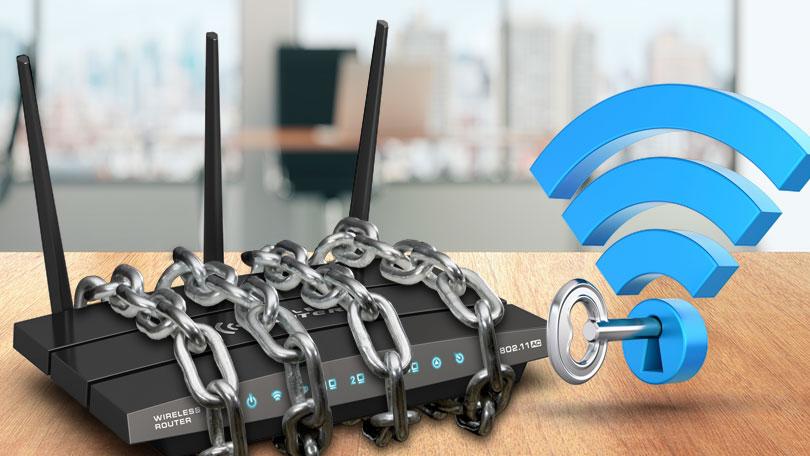
Change default administrator credentials and use a strong Wi-Fi password. Keep router firmware updated and disable features that are unnecessary. If your router supports separate guest networking, consider using it for visitors and less-trusted devices.
A well-secured home network creates a stronger foundation for every connected device inside the household.
Understand the Security Value of Backups
Security is not only about preventing unauthorized access. It is also about recovering when something goes wrong. Hardware failure, accidental deletion, ransomware, theft, or other incidents can make important files inaccessible.
Regular backups can reduce the impact of these events. Important documents, photographs, and other irreplaceable files should have copies stored separately from the primary device.
A useful backup approach includes:
| Digital Asset | Recommended Protection |
|---|---|
| Personal documents | Regular encrypted backup |
| Photos and videos | Cloud or external backup |
| Work files | Approved organizational storage |
| Financial records | Secure backup and offline copy |
| Passwords | Password manager with recovery plan |
| Mobile data | Device backup enabled |
The key principle is consistency. A backup that has not been updated for months may not contain the information needed after an incident.
Review App Permissions Regularly
Applications frequently request access to cameras, microphones, contacts, locations, storage, and other device capabilities. Some permissions are necessary for functionality, while others may not be essential.
Take a few minutes every so often to review installed applications and their permissions. Remove applications you no longer use and restrict access that does not appear necessary.
Location access deserves particular attention. Some applications need continuous location information, while others only require it while actively being used. Choosing the least permissive option that still provides the desired functionality can improve privacy.
The same principle applies to browser extensions. Remove extensions that are unfamiliar, outdated, or unnecessary.
Be Careful With QR Codes and Unexpected Downloads
QR codes are increasingly common in advertising, restaurants, events, payments, and physical locations. Their convenience can also make them useful in scams. A malicious QR code may direct users toward a fraudulent website or deceptive download.
Do not assume a QR code is safe simply because it appears on a printed sign or familiar-looking surface. After scanning, examine the destination carefully before entering credentials or financial information.
Unexpected downloads deserve similar caution. Files received from unknown contacts, suspicious messages, or unfamiliar websites should not be opened casually. When something feels unusual, stop and verify it independently.
Create a Simple Cybersecurity Routine
Good cybersecurity becomes easier when it is converted into repeatable habits rather than occasional projects. Whitemagz readers can create a simple monthly digital safety check that takes only a small amount of time.
During the review, check important accounts, remove unused applications, install pending updates, review privacy settings, and confirm that backups are working. Also look for unfamiliar login alerts or security notifications.
A practical routine might look like this:
Weekly: Check suspicious messages and account alerts.
Monthly: Review important account activity, application permissions, and device updates.
Every few months: Change or strengthen security settings where necessary and review public information.
Immediately: Respond to suspicious login alerts, lost devices, compromised accounts, or unexpected financial activity.
Consistency matters more than complexity. A basic routine followed regularly is much more useful than an elaborate security plan that is quickly abandoned.
What to Do If You Suspect an Account Is Compromised
Even careful users can experience security incidents. If you suspect that an account has been accessed without permission, act quickly.
Start by changing the affected password from a trusted device. If the same password was used elsewhere, replace those passwords too. Sign out of unfamiliar sessions where the service provides that option and enable multifactor authentication.
Next, review recent account activity for unauthorized changes. Look for unfamiliar purchases, messages, profile modifications, recovery addresses, or login locations.
If financial information may have been exposed, contact the relevant financial institution through an official channel. Avoid responding to messages that claim to offer recovery assistance unless you independently verify the source.
For whitemagz readers, the most important lesson is simple: speed matters after a suspected compromise. Early action can limit how far an incident spreads.
Make Cybersecurity an Everyday Habit
Personal cybersecurity is not a one-time installation or a complicated technical project. It is a collection of everyday decisions that gradually reduce exposure to digital threats. Strong passwords, multifactor authentication, timely updates, careful browsing, privacy awareness, secure backups, and cautious communication all contribute to a safer online environment. Whitemagz readers can begin with the basics and improve gradually. Start by securing the most important accounts, especially email and financial services. Then review devices, applications, networks, and personal information. Over time, these small actions become automatic behaviors.
The strongest cybersecurity strategy is one that fits naturally into daily life. By staying alert without becoming fearful, users can enjoy the benefits of connected technology while making it substantially harder for common attacks to succeed. In a world where digital activity continues to expand, responsible personal cybersecurity is no longer optional—it is an essential part of living safely online.